How We Work: Vaulty + Time Tracker in a Multi-Client Operation
This is how we organize our multi-client operation with Vaulty and Time Tracker: task board, team workload, skills, and client timesheets. We use it ourselves and offer it as a product.
By Diego Torres · Published July 25, 2026 · Updated July 25, 2026
Client
AT Vault
Industry
Technology Services
Solution
Vaulty · Time Tracker
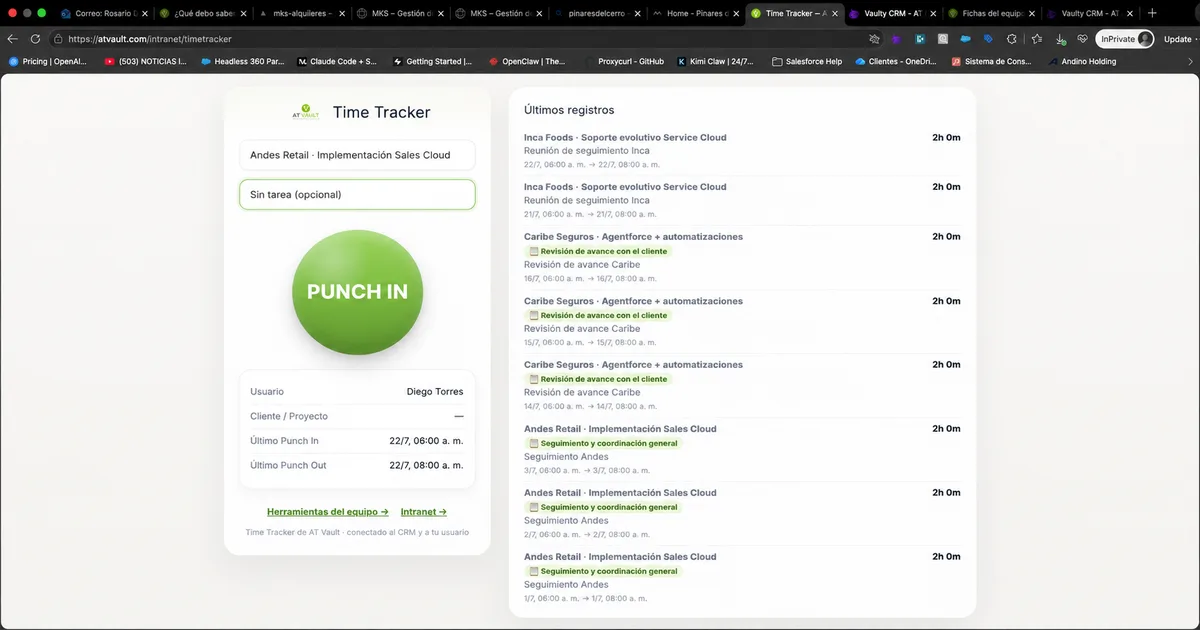
At AT Vault, we help companies streamline their operations. To do the same for ourselves, we built Vaulty—our platform for managing client work—with a built-in Time Tracker designed for consulting teams that work with multiple clients at once. This is how we organize our day-to-day operations: what is being done for each client, who has capacity, and how many hours have been spent on each project.
The Challenge of a Multi-Client Operation
A team serving several clients in parallel always faces the same questions: What is each person working on today? Who has available hours this week? How many hours have we spent on this client, and how do we bill them? When the answers are scattered across separate spreadsheets and different people's heads, time and visibility are lost.
One Platform for the Entire Operation
In Vaulty, we manage client companies and their service contracts. Building on that same foundation, Time Tracker adds the execution layer: a task board, team workload, profiles with skills, and client timesheets. Everything is connected—the “project” associated with a task is the client's service contract itself.
The Task Board: All Work in One Place
A Kanban board containing tasks for all clients, organized by status (backlog, in progress, under review, under client evaluation, done). Each card displays the client, type of work, and assignee, and can be filtered by client, epic, sprint, or story.
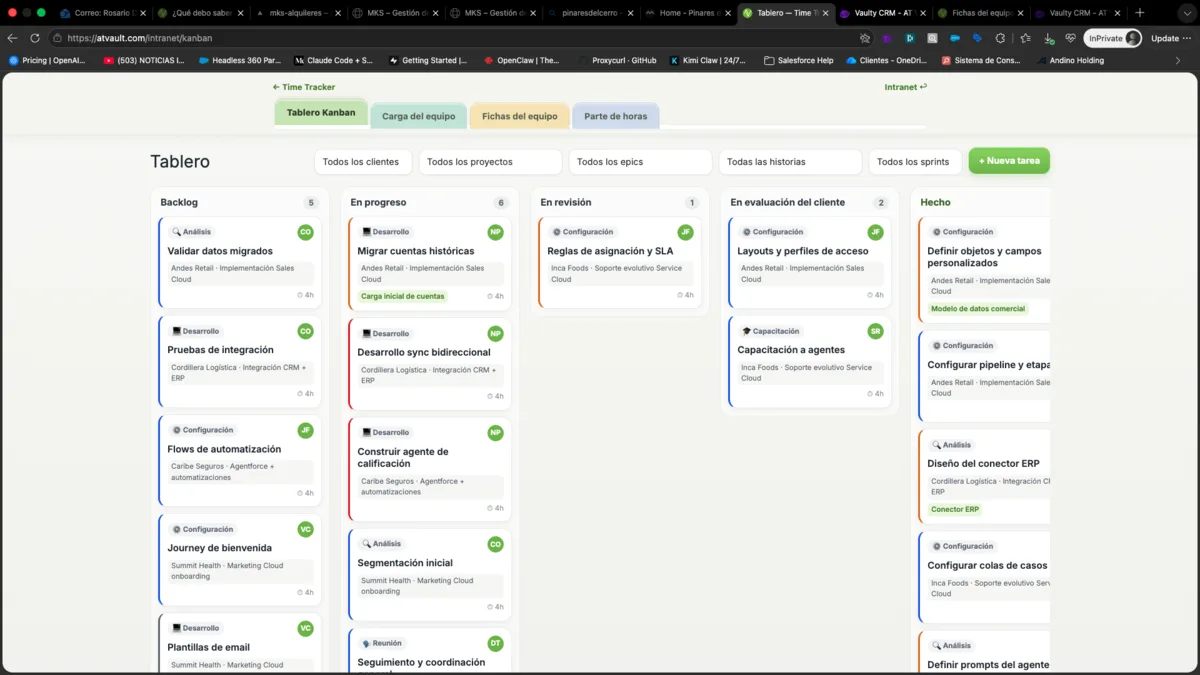
Kanban board: tasks for all clients organized by status
Team Workload: Who Can Take On More
The workload view compares each person's weekly hours with their capacity. At a glance, you can see who is at their limit and who has room—the foundation for assigning work effectively.
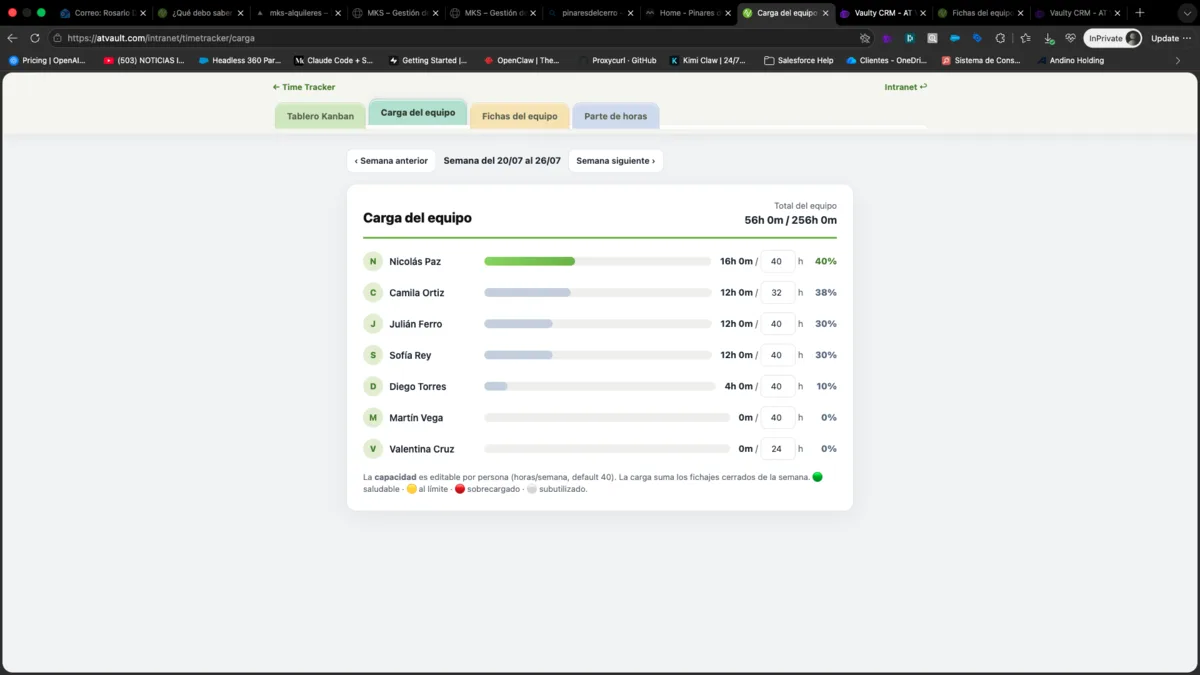
Team workload: assigned hours vs. capacity
Profiles and Skills: Staffing Based on Actual Capabilities
Each person has a profile listing their role, weekly capacity, schedule, and skills by proficiency level (Sales Cloud, Apex, integrations, functional analysis, design, and more). This allows each client team to be assembled based on what each person can actually do.
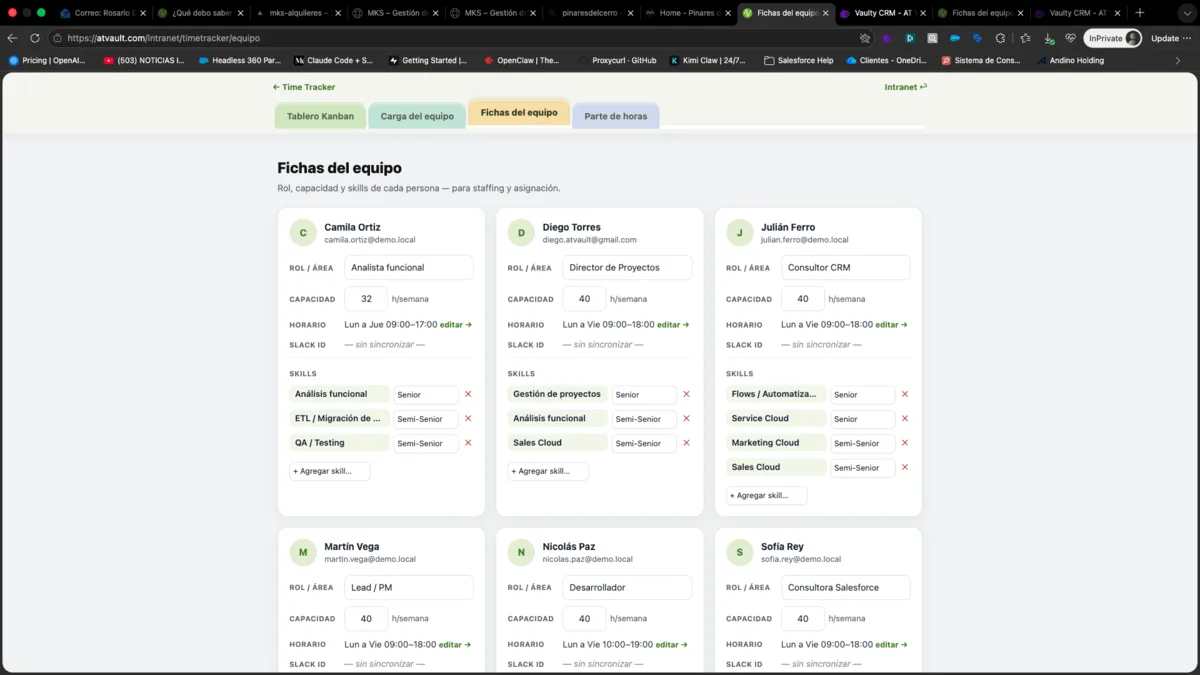
Team profiles with skills by proficiency level
Client Timesheets, Ready for Billing
At the end of the month, the timesheet summarizes hours by team member and provides details for each client entry. It can be exported to PDF and attached to the invoice or shared with the client—without manually recreating anything.
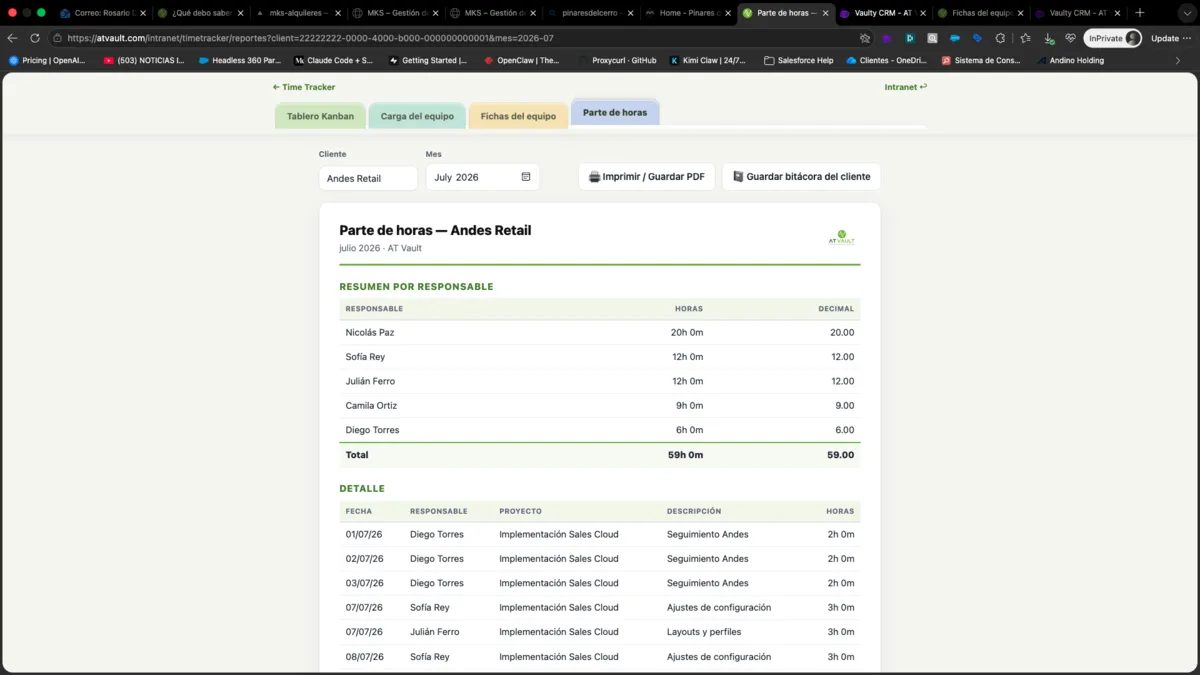
Monthly client timesheet, exportable to PDF
We Built It for Ourselves First.
None of this is theoretical: it is the tool we use to organize our own operations every day. We offer it because we tested it on ourselves before anyone else.
We Use It Ourselves. You Can Too.
Time Tracker is a multi-tenant Vaulty add-on: each company can only see its own operation. If your team works on projects or serves multiple clients, it brings work and time tracking together in a single tool. Talk to a Vaulter, and we will show you a live demo.